Instant Account Access
Your email and password get you into your full AUD balance, bonus dashboard, and all 10,000+ games without any waiting period.
Login at Spinational: Reset Your Password
Access your AUD account, pokies, live tables, and sportsbook in one click.
Login Security: Do's and Don'ts
What You Should Do
What You Should Avoid
Your Login, Sorted
Instant Account Access
Your email and password get you into your full AUD balance, bonus dashboard, and all 10,000+ games without any waiting period.
Two-Factor Authentication
Enable 2FA from your account settings to add a second verification step every time you sign in, protecting your balance and personal data.
Log In from Any Device
Spinational's mobile-optimised site works in any browser on Android or iOS, so your account is accessible wherever you are.
Logging in to Spinational takes a few seconds regardless of which device or browser you use. The platform does not require a dedicated app download, and your account credentials work identically across desktop and mobile. Before you begin, make sure your email address was confirmed when you registered; unconfirmed addresses will be blocked at the login screen.
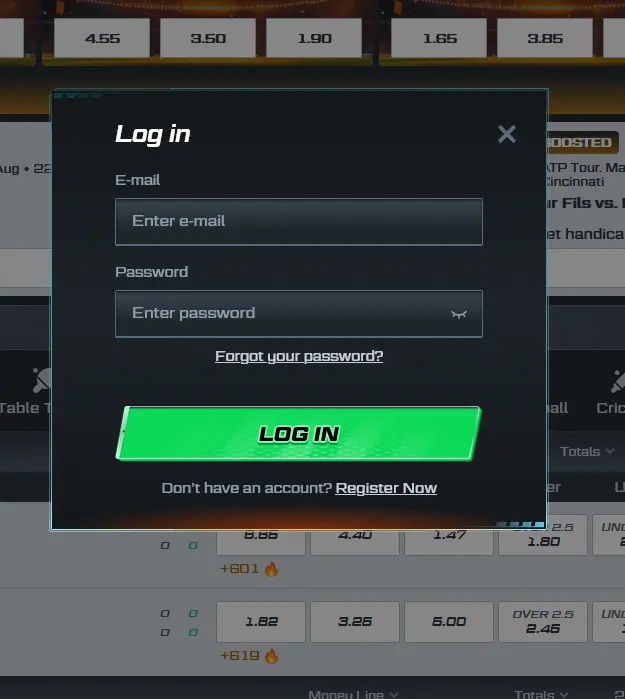
Open spinationalplay.com in any desktop browser (Chrome, Firefox, Edge, or Safari). Click the login button in the top right corner of the homepage. Enter the email address you registered with and your password, then click sign in. If you have two-factor authentication enabled, a second prompt will appear asking for the verification code from your authenticator app. Once authenticated, you land on your account dashboard with your full AUD balance visible.
On Android, open Chrome and navigate to spinationalplay.com. On iOS, use Safari. The site detects your screen size automatically and loads the mobile-optimised layout. Tap the login icon at the top of the page, enter your credentials, complete the 2FA step if enabled, and you will be taken directly to your account. You can add spinationalplay.com to your home screen beforehand for a shortcut that opens the site instantly without navigating via the browser address bar.
Spinational does not have a native app on Google Play or the App Store. The home screen shortcut on Android or iOS creates an icon on your device that opens the full site in your browser with a single tap, working in the same way as a dedicated app launch. All login and account features are available through this shortcut.
Spinational uses a standard email-and-password combination for account access. There is no social media sign-in or single-sign-on. When you registered, you chose a password and linked it to your email address. Both are required every time you log in. Two-factor authentication is available as an optional layer and, once enabled, generates a time-sensitive code via an authenticator app that must be entered after the password step. Biometric login (fingerprint or Face ID) is supported on mobile devices where the browser has permission to use the device’s biometric sensor, allowing you to bypass password entry on subsequent visits from the same device.
Every Spinational account is secured by SSL-TLS encryption, which protects the connection between your browser and the platform across all login and account activity. The random number generators in all games are certified by licensed software providers, ensuring that outcomes cannot be influenced by external parties.
Two-factor authentication is the single most effective step you can take to protect your account beyond your password. Once enabled in your account settings, it means that even if your password is compromised, an attacker still cannot access your account without the time-sensitive 2FA code. Biometric login on mobile adds further convenience without reducing security, because the biometric data stays on your device and is never transmitted to Spinational’s servers.
Spinational’s support team will never ask you for your password or your 2FA code. Any request for these details claiming to be from Spinational support should be treated as suspicious.
Most login problems fall into one of a small number of categories and can be resolved without contacting support.
If your password is rejected, use the ‘Forgot Password’ link to trigger a reset email to your registered address. Check your spam folder if nothing arrives within a few minutes. Reset links expire after a short period, so use the link promptly.
If your account is locked after too many failed attempts, the lock is temporary and can be lifted by contacting the live chat team or emailing [email protected]. Provide your registered email address to help the team identify your account quickly.
If you are not receiving the 2FA code, confirm that your device clock is correctly synchronised, as authenticator apps rely on accurate time. If you have lost access to your authenticator device, contact support to go through the account recovery process.
If the site fails to load on mobile, try clearing your browser cache or switching between Wi-Fi and mobile data. The site is tested on Android Chrome and iOS Safari and should load correctly on both.
If you do not yet have a Spinational account, registration is open on the website. You will need to provide a valid email address, choose a password, select AUD as your preferred currency, and supply basic personal details. Once your email is confirmed, your account is active and you can make your first deposit to begin playing. The minimum age to register and play at Spinational is 18.
Login Questions Answered
Click the 'Forgot Password' link on the login screen, enter the email address registered to your Spinational account, and follow the reset link sent to your inbox. If the email does not arrive within a few minutes, check your spam folder.
Yes. Spinational's site is fully optimised for mobile browsers on Android Chrome and iOS Safari, with no app download required. All account features including the cashier, live casino, and sportsbook work correctly on mobile.
Spinational locks accounts temporarily after repeated incorrect password entries as a security measure. Contact the support team via live chat or email at [email protected] to unlock your account.
Yes. 2FA can be activated in your account security settings and adds a time-sensitive code to the standard email-and-password login step, significantly reducing the risk of unauthorised access.
Ready to Play? Log In to Spinational Now
Grab 100% up to $3,750 and 250 free spins.
Enter the Casino Must be 18 or over to play. Gambling carries a risk of addiction. Bonus terms apply.